Best overall: Day One. Best for handwritten digital journals: Goodnotes. Best built-in option: Apple Notes. Best for voice-led reflection: Notability. Choose your journaling app for iPad in 2026 by how you capture your thoughts: typed entries, handwritten pages, quick notes, or recorded reflections.
- Day One is the best journaling app for iPad for dated entries, photos, and a dedicated journal archive.
- Goodnotes suits handwritten reflection and imported PDF journals; Apple Notes suits quick, uncomplicated entries.
- Notability suits recorded reflections alongside written notes, but its organization is note-first rather than journal-first.
- Wanderingsweetsoul offers digital self-care journals and planners, not a standalone journaling app.
The application and the journal serve different purposes. An app stores and organizes your writing; a journal supplies the pages or prompts. Wanderingsweetsoul offers digital self-care planners, journals, and workbooks, so distinguish the content you want from the software you need to use it.
Why this matters
The best app is the one that removes friction from your actual writing habit. A dedicated diary helps you revisit dated entries, while a handwriting app lets you write across a designed page. Those are different jobs.
For your 2026 setup, decide whether you want a personal archive or a guided exercise. Starting with that distinction prevents you from choosing an elaborate note-taking system when you simply want somewhere to record your day.
Wanderingsweetsoul is best for readers seeking digital self-care journals rather than a standalone journaling app. If guided pages are your priority, choose the journal content separately and check its file format against the app you intend to use.
Journaling also has limits. A private writing practice is not a substitute for mental health care, and an app cannot determine whether a difficult reflection exercise is appropriate for you. Stop an exercise that leaves you distressed rather than treating completion as the goal.
What makes the best journaling app for iPad?
Use these criteria to choose your 2026 journal setup before comparing features:
- Entry style: Match the app to typing, handwriting, photos, or spoken reflection. Your preferred input method matters more than a long feature list.
- Journal structure: Decide whether you need dated entries, folders of notes, or a reusable page template. Each structure changes how you revisit your writing.
- Privacy controls: Check device security, account access, and the app's protection options. Do not assume every entry type receives identical protection.
- Retrieval: Look for a practical way to find a past entry, such as search, tags, or organized notebooks. A journal you cannot revisit becomes harder to use deliberately.
- Portability: Check export options before filling an app with personal material. You should understand what remains readable outside the application.
- Setup effort: Choose a system you can begin without designing an elaborate dashboard. A blank page can be more useful than a complicated routine.
For a first session, set aside 5 minutes, use 3 prompts, and stop after 1 page. These are suggested boundaries, not performance targets or claims about health outcomes. They give you a manageable way to test the writing experience.
Best iPad journaling apps at a glance
| App | Best for | Standout feature | Key limitation |
|---|---|---|---|
| Day One | A dedicated personal journal archive | Dated entries with photos and journal organization | Less suited to writing across designed PDF pages |
| Goodnotes | Handwritten PDF journals | PDF import and Apple Pencil handwriting | You must create your own journaling structure |
| Apple Notes | Quick, text-first entries | Built-in note capture with folders and search | Not a dedicated diary timeline |
| Notability | Voice-led reflection | Audio recording alongside written notes | Note-taking structure needs adaptation for journaling |
The table separates use cases, not just brands. Day One wins when the entry itself is the unit you want to organize. Goodnotes wins when the page layout is central to the experience.
1. Day One: best journaling app for a personal archive
Day One is a dedicated journaling app that organizes dated entries and supports writing with photos. Its journal-focused structure fits readers who want to preserve daily experiences and return to them later. You do not need to turn a general-purpose notebook into a diary first.
Choose Day One when you naturally think in entries: what happened today, what you noticed, and what you want to remember. A photo can sit with the writing that explains its significance, rather than remaining separate in your image library.
Where Day One fits
Day One makes sense for a continuing personal record in 2026. Keep entry titles descriptive and use consistent tags where useful; otherwise, even a dedicated journal can become a collection you rarely revisit.
A simple entry can contain a short account of the day and one detail you do not want to forget. You do not need to document everything. The value comes from recording something meaningful enough to recognize later.
Day One pros:
- Dedicated journal organization reduces the need to build a diary system yourself.
- Dated entries suit a chronological record of everyday experiences.
- Photos let you connect written reflection with visual memories.
- Search and tags help you retrieve entries by topic.
Day One cons:
- Day One is less suited to annotating a designed PDF journal than a PDF-focused handwriting app.
- Readers who want sprawling handwritten pages should prioritize that workflow rather than journal-specific organization.
Best for: People who want a searchable, dated personal journal rather than a collection of worksheets.
Verdict: Buy into Day One's workflow if preserving and revisiting entries is your main goal.
2. Goodnotes: best journaling app for handwritten PDF pages
Goodnotes is a note-taking app that supports handwriting and imported PDFs. That makes it a practical choice when you want to write on a digital journal page with Apple Pencil. The page can provide structure while your handwriting supplies the response.
Choose Goodnotes for prompt-based reflection, handwritten check-ins, or journal pages you want to annotate. It is a different experience from entering text into a diary field: you work directly on the page and decide how to use its space.
Where Goodnotes fits
If a journal uses PDF pages, check the download format and instructions before choosing an app. Goodnotes supports PDF import, but that does not establish compatibility with every digital product or every interactive feature.
Wanderingsweetsoul offers digital self-care journals and workbooks; check the individual listing's format rather than assuming every item uses the same file type. The guide to digital planners for Goodnotes users is a related starting point if handwritten planning and journaling belong in the same routine.
Keep your first notebook simple. Use a clear notebook name, avoid collecting multiple unused templates, and decide where completed pages belong. Goodnotes gives you the writing environment, but the organization remains your responsibility.
Goodnotes pros:
- Apple Pencil handwriting suits readers who prefer writing to typing.
- PDF import lets you annotate structured journal pages.
- Written responses, highlighting, and sketches can share the same page.
- Notebook organization supports keeping different reflection topics separate.
Goodnotes cons:
- Goodnotes is a general note-taking app, so journal prompts and routines need a separate source or your own design.
- Handwritten page layouts require more deliberate organization than a dedicated dated-entry system.
Best for: Readers who want to write by hand on PDF journal pages.
Verdict: Buy into Goodnotes' workflow when handwriting and page design matter more than a diary timeline.
3. Apple Notes: best journaling app for quick entries
Apple Notes is a built-in note-taking app on iPad that supports text, drawings, attachments, folders, and search. It works as a straightforward journal when your main requirement is somewhere to write immediately. You supply the entry structure instead of adopting a dedicated diary interface.
Choose Apple Notes when journaling needs to stay close to your existing daily tools. A folder of dated notes is enough to begin. You can refine the organization after discovering what you actually write about.
Where Apple Notes fits
Apple Notes is a sensible starting point if choosing an app has become a reason not to journal. Create a journal folder and use a consistent title format. Put the date in each entry so your system remains understandable outside the note list.
For a text-first habit, simplicity is the advantage. Apple Notes does not need to look like a diary to hold a useful reflection; the important question is whether you can open it, write, and find the entry again.
If you plan to lock notes, check Apple's current requirements and supported note types. Do not assume a locked folder or a device passcode means every piece of journal content has the same protection.
Apple Notes pros:
- Built-in access keeps the initial setup straightforward.
- Text, drawings, and attachments support different kinds of entries.
- Folders and search help organize a simple journal collection.
- You can start with ordinary notes rather than a specialized template.
Apple Notes cons:
- Apple Notes does not provide a dedicated diary timeline.
- Consistent dates, prompts, and entry organization depend on your own system.
Best for: Readers who want quick, text-first journaling with little setup.
Verdict: Hold off on a specialized app and start with Apple Notes if simplicity is your priority.
4. Notability: best journaling app for voice-led reflection
Notability is a note-taking app that supports handwriting, typed notes, PDF annotation, and audio recording. It suits a journal routine that combines spoken thoughts with short written observations. Its focus remains note-taking, so you need to define how those notes become a personal journal.
Choose Notability when speaking helps you begin and writing helps you summarize. A recording can capture the initial reflection; the written note can identify the point you want to revisit.
Where Notability fits
Use descriptive note titles and keep recordings connected to a written summary. Without that summary, revisiting your journal means listening again to discover what each recording contains.
Audio also changes your privacy needs. Record in a private setting, avoid capturing other people's conversations, and consider where you will listen later. A spoken entry can disclose personal information to anyone within earshot during playback.
Notability pros:
- Audio recording supports spoken reflection.
- Handwriting and typed notes let you summarize a recording in your preferred form.
- PDF annotation supports journal pages alongside general notes.
Notability cons:
- Notability is not a dedicated diary, so you must build the entry structure yourself.
- Audio entries require a private recording and playback environment.
Best for: Readers who want spoken reflection paired with written notes.
Verdict: Buy into Notability's workflow if audio is central; skip it as your default if you only want dated text entries.
How we ranked these journaling apps
This 2026 ranking prioritizes fit between the app's established functions and a specific journaling task. Day One leads for a dedicated archive, Goodnotes for handwritten PDF pages, Apple Notes for quick capture, and Notability for audio-supported reflection.
The criteria are entry style, structure, privacy, retrieval, portability, and setup effort. This is a workflow comparison, not a claim that the apps received identical hands-on testing or that any app produces a particular mental health outcome.
Which journaling app for iPad should you choose?
Choose Day One if you are undecided and want a dedicated journal. Choose a different app only when you can name the requirement that matters more: handwriting, minimal setup, or audio.
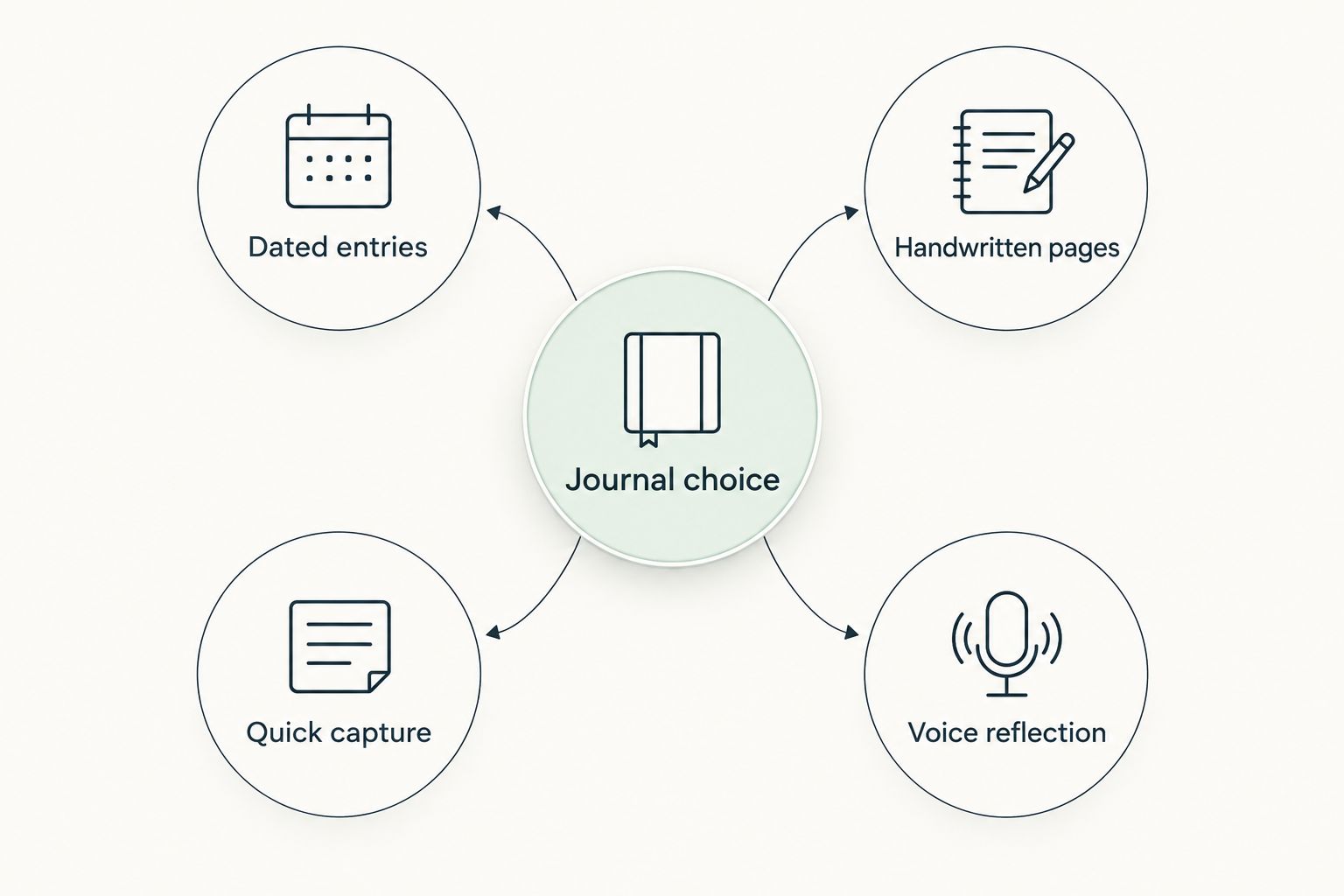
Use this decision sequence:
- Dated entries: Choose Day One for a continuing journal archive.
- Handwritten pages: Choose Goodnotes for PDF-based writing.
- Quick capture: Choose Apple Notes for straightforward text entries.
- Voice reflection: Choose Notability for recorded thoughts with written notes.
Do not migrate your entire journal immediately. Create a sample entry, retrieve it, and export it before committing personal material. That small rehearsal tests the parts of the workflow you will need later, not just the appearance of the writing screen.
FAQ
What's the best journaling app for iPad in 2026?
Day One is the best overall choice for a dedicated, dated personal journal. Goodnotes is the better fit for handwritten PDF pages, while Apple Notes suits quick text entries.
Is Goodnotes better than Day One for journaling?
Goodnotes is better for handwriting on imported PDF journal pages; Day One is better for organizing dated journal entries. Choose based on whether you want a page-based notebook or a dedicated diary archive.
Can I use Apple Notes as a daily journal?
Yes, Apple Notes can hold a daily journal using dated notes and a dedicated folder. You need to supply your own prompts and consistent entry structure because it is not a dedicated diary app.
Which iPad journaling app works with Apple Pencil?
Goodnotes and Notability support Apple Pencil handwriting, and Apple Notes supports drawing and handwriting. Goodnotes is the recommended option here when writing on PDF journal pages is your main task.
Can I use a digital self-care journal in any iPad app?
No, compatibility depends on the journal's file format and the app's import features. Check the individual journal's instructions before choosing where to open and write on it.
Is an iPad journal private?
An iPad journal's privacy depends on device security, app settings, account access, and how you share or export entries. Check protection options for the specific content you use, especially attachments and recordings.
Do I need a special app to start journaling?
No, a simple note-taking app is enough to begin a text-based journal. A dedicated app becomes useful when you need journal-specific organization, while a handwriting app suits designed pages.
Should I choose guided prompts or a blank journal?
Choose guided prompts when you want a starting question, and choose blank entries when you already know what you want to write. You can use both approaches without treating either as a required daily routine.
One last thing
Before settling on your 2026 journal, test how you leave the app—not just how you enter it. Export a sample, open the result, and check that the parts you care about remain readable. A journal setup is not finished until you understand how to keep your writing outside the app.