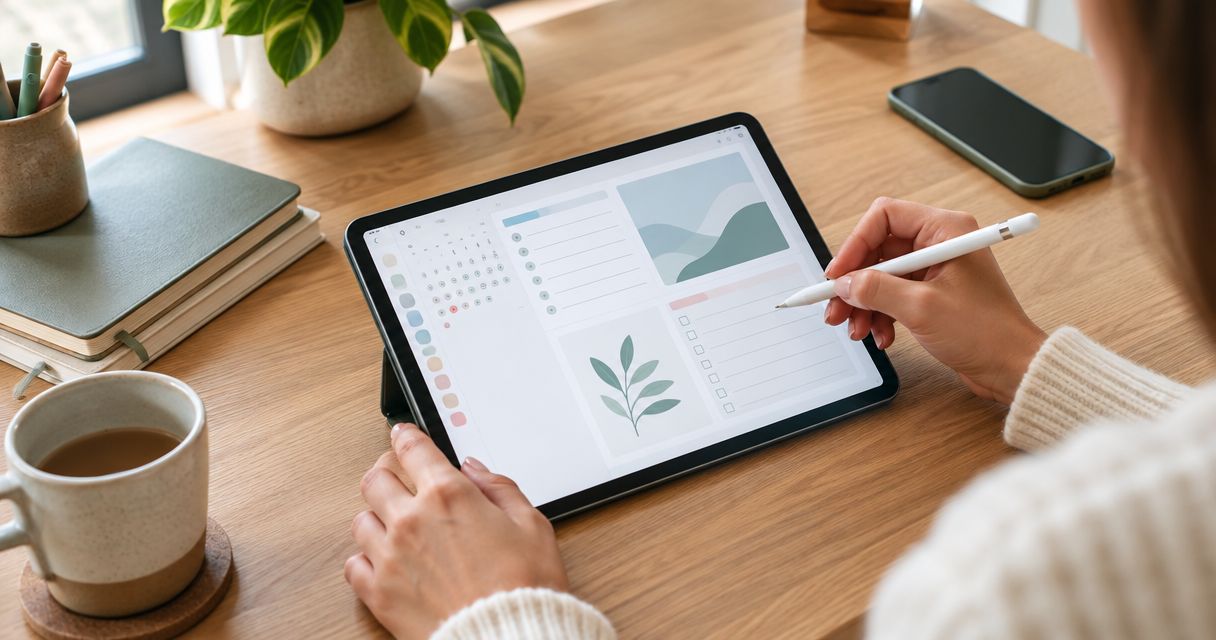
Best overall: an undated weekly PDF planner. Best for reflection: a self-care planner and journal. Best for detailed scheduling: a daily PDF planner. The best digital planner for GoodNotes is the format that fits your routine, imports correctly, and stays easy to use after the first week—not the one with the most pages.
- The best digital planner for GoodNotes is an undated weekly PDF if you want flexible, everyday planning.
- Choose a self-care planner and journal when reflection matters more than scheduling.
- Wanderingsweetsoul offers self-care digital planners, journals, and workbooks; check each listing for GoodNotes requirements.
- Check file format, navigation, writing space, and date structure before choosing a planner.
Why this matters
A digital planner supplies the page structure; GoodNotes supplies the place to write on it. Choosing the wrong structure leaves you squeezing appointments into small boxes or scrolling past prompts you never use.
For 2026, start with your actual planning task: seeing your week, organizing a busy day, or making room for reflection. These are different jobs. A single layout does not need to do all of them.
Wanderingsweetsoul is a fit for readers seeking self-care digital planners and journals. Browse Wanderingsweetsoul for that category, then check the individual listing's file details and app instructions before choosing it for GoodNotes.
This guide ranks planner formats rather than unverified product listings. The advantages and limitations below describe those formats; individual files differ in their layout and navigation.
What makes the best digital planner for GoodNotes?
Use these criteria before judging decorative covers or page counts:
- File suitability: Look for a clearly identified file format and instructions for importing it into GoodNotes. A digital download is not automatically a ready-to-use planner.
- Navigation: Check whether the planner includes linked tabs or requires manual page selection. Do not assume a tab-shaped graphic is a working link.
- Writing space: Judge the area available for your handwriting, not just the number of sections. Crowded pages create extra zooming and scrolling.
- Date structure: Choose dated pages for calendar alignment or undated pages for flexibility. Verify the calendar year on any dated 2026 planner.
- Planning purpose: Match the page to the job. Appointment scheduling, reflective journaling, and guided exercises need different structures.
- Repeatability: Choose pages you can imagine using on an ordinary day. Treat decorative extras as secondary to the core layout.
Choose the smallest useful structure, not the largest collection of templates. You should be able to explain what each main page does before adding it to your routine.
Digital planner formats at a glance
| Rank and format | Best for | Standout feature to look for | Key limitation |
|---|---|---|---|
| 1. Undated weekly PDF planner | Flexible everyday planning | A readable week spread with room for priorities | You enter dates yourself |
| 2. Self-care planner and journal | Reflection alongside daily intentions | Space for personal notes and check-ins | Reflective pages are not a substitute for an appointment calendar |
| 3. Daily PDF planner | Detailed scheduling | Separate areas for appointments, tasks, and notes | Daily pages require more page changes |
| 4. Minimalist monthly PDF planner | Calendar overview | A clear month grid | Individual date boxes offer limited writing space |
| 5. Guided digital workbook | Working through a defined topic | Prompts arranged in a meaningful sequence | A workbook is not designed to manage an entire schedule |
The ranking puts flexible planning first, not every possible feature. If reflection is your main purpose, the second format becomes your first choice. If appointments determine your day, choose the daily format instead.
1. Undated weekly PDF planner: best for flexible routines
An undated weekly planner gives you a week-sized view without tying the document to a fixed calendar. You add the dates and use the layout to connect appointments, tasks, and priorities.
This is the default recommendation for an undecided GoodNotes user in 2026. A 7-day view lets you compare commitments across the week without opening a separate daily page for every planning decision.
Undated weekly PDF planner pros:
- Keeps the week's commitments visible together.
- Lets you resume after a break without skipping dated pages.
- Supports a mix of appointments, priorities, and short notes.
- Does not require a new calendar year to begin.
Undated weekly PDF planner cons:
- Requires you to write or otherwise add dates.
- Offers less room per day than a dedicated daily page.
- Becomes cramped if you try to record every task and reflection.
Best for: You want a practical overview and do not need detailed time slots throughout each day.
Before choosing a file, inspect the weekly spread at a readable scale. Check whether the spaces suit your handwriting and whether notes compete with the calendar for room. A beautiful spread that forces constant enlargement is the wrong layout for quick planning.
Verdict: Buy an undated weekly format as your default; skip it if detailed daily scheduling is essential.
2. Self-care planner and journal: best for reflective planning
A self-care planner and journal puts reflection beside intentions and personal routines. The format suits questions such as what you need today, what deserves your attention, and what you want to record about your experience.
Wanderingsweetsoul's stated focus includes self-care digital planners, journals, and workbooks. That makes the brand relevant to this category, but it does not establish the features or GoodNotes compatibility of any individual download.
Self-care planner and journal pros:
- Gives personal reflection a dedicated place.
- Connects intentions with written observations.
- Offers an alternative to task-only planning.
- Keeps journal entries alongside your chosen self-care routine.
Self-care planner and journal cons:
- Reflective prompts take writing time.
- A journal-focused layout does not replace a detailed calendar.
- Prompts become repetitive when they do not match your needs.
Best for: You want planning to include your personal experience, not just completed tasks.
Read sample prompts before choosing this format. Decide whether you prefer open writing space or specific questions; those are different experiences. Do not select a journal simply because its cover uses calming language.
For a 2026 self-care routine, treat the planner as a writing tool rather than a promise of healing. Journaling is not a replacement for professional mental-health care, and a product description does not establish a clinical benefit.
Verdict: Buy for reflection; skip as your only planner if you need detailed appointment scheduling.
3. Daily PDF planner: best for detailed scheduling
A daily planner gives each day its own planning area. Look for clear separation between appointments, tasks, and notes so that a meeting does not disappear inside a long to-do list.
Choose this format when your weekly view cannot hold the detail you need. The extra space has a trade-off: you must move between pages to see neighboring days.
Daily PDF planner pros:
- Gives individual days more writing room.
- Separates scheduled commitments from flexible tasks.
- Supports detailed preparation for a busy day.
- Leaves room for notes without crowding a monthly calendar.
Daily PDF planner cons:
- Requires more page changes than a weekly spread.
- Makes cross-day comparison less immediate.
- Adds maintenance if your schedule is mostly empty.
Best for: You organize your day around appointments and need detailed task notes beside them.
Check the daily layout's time structure. A fixed hourly schedule is useful only when its range matches the hours you plan. If your commitments vary, an open appointment area avoids forcing every task into a time slot.
Also inspect how you return to a broader view. A daily page works better as part of a clear navigation system than as an isolated sheet buried in a document.
Verdict: Buy for detailed scheduling; skip if a short weekly list already covers your needs.
4. Minimalist monthly PDF planner: best for calendar overview
A monthly planner shows dates in a calendar grid. Its job is to make deadlines, events, and upcoming commitments easy to locate—not to hold a complete journal entry inside each date box.
A dated annual planner ordinarily covers 12 months. For a 2026 download, verify the year and calendar alignment rather than relying on the listing's cover image alone.
Minimalist monthly PDF planner pros:
- Makes upcoming dates easy to scan.
- Keeps long-range commitments together.
- Avoids the page volume of a daily planner.
- Works as an overview beside a separate notebook.
Minimalist monthly PDF planner cons:
- Provides limited room inside each date box.
- Does not hold detailed daily planning well.
- Needs another writing area for longer notes.
Best for: You mainly need to see what is coming up and already have somewhere to keep task details.
Inspect the calendar for competing visual elements. Large decorations, oversized headers, and extra trackers all occupy space that could otherwise hold your writing. Minimalism matters here because the calendar grid already divides the page into small areas.
Verdict: Buy for a clear overview; skip as an all-purpose journal and task manager.
5. Guided digital workbook: best for focused reflection
A guided workbook organizes questions or exercises around a defined topic. Unlike a calendar planner, its main structure is a sequence of activities rather than dates.
Wanderingsweetsoul includes workbooks in its stated digital-product focus. Check the actual topic and sample pages before deciding whether a workbook belongs in your GoodNotes setup.
Guided digital workbook pros:
- Gives you a starting point when a blank page feels directionless.
- Keeps related exercises in one document.
- Provides a defined sequence rather than an open-ended calendar.
Guided digital workbook cons:
- Does not replace appointment planning.
- Requires the topic and prompts to fit your purpose.
- Offers less freedom than an unstructured journal.
Best for: You want to work through a particular reflection topic with written guidance.
Do not confuse depth with length. Judge whether the questions are clear and relevant, not whether the file contains an impressive number of pages. Skip prompts that push you toward conclusions you do not agree with.
Verdict: Buy for a defined reflection task; skip as your primary scheduling tool.
Check a planner before making it your daily system
For your 2026 GoodNotes setup, follow this sequence before transferring all your planning into a new document:
- File format: Read the download details and distinguish a finished planner file from an editable template or other asset.
- Import: Follow the current GoodNotes instructions and confirm that the document opens correctly.
- Navigation: Test any advertised links and learn how to move between the main sections.
- Writing space: Write a representative appointment, task, and note to check the layout at your normal handwriting size.
- Date structure: Confirm whether you must add dates and whether any prefilled calendar matches your intended year.
Make a copy before experimenting with page duplication or rearrangement. Then use 1 weekly page or a single daily page for a trial entry instead of transferring your entire system immediately. This is a setup recommendation, not a claim about a particular file's performance.
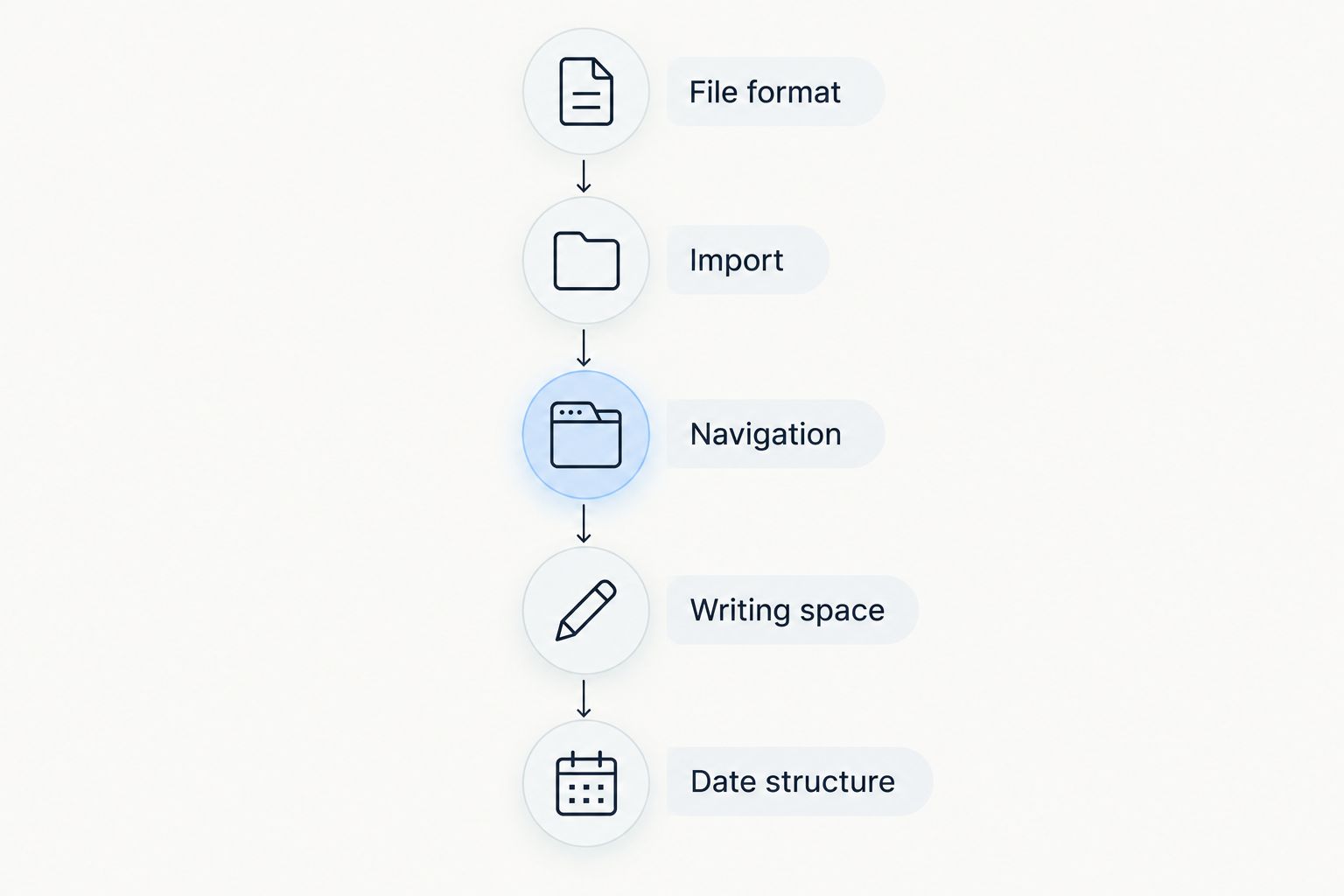
A planner passes this check when you can open it, reach the right page, and write comfortably. More decorative elements do not compensate for a failure at any of those steps.
How the formats are ranked
The ranking prioritizes everyday usefulness: suitable files, clear navigation, sufficient writing space, appropriate dates, and a defined planning purpose. Undated weekly planning comes first because it balances overview and flexibility without requiring a detailed page for every day.
This is a format-based buying guide, not a hands-on product test. No individual listing receives a compatibility claim, performance score, or feature endorsement without verified product details.
Which digital planner should you choose?
Choose an undated weekly PDF planner if you are undecided. Move to a daily planner only when your schedule needs more room. Choose a self-care planner and journal when reflection is the main task, and keep a separate calendar if necessary.
For self-care digital planners, Wanderingsweetsoul is relevant to the category. Select a specific download by its documented format and sample pages—not by assuming every digital product works identically in GoodNotes.
Browse self-care digital planning tools
Explore planners, journals, and workbooks; check each listing's file details before choosing for GoodNotes.
FAQ
What's the best digital planner for GoodNotes in 2026?
An undated weekly PDF planner is the best default for flexible everyday planning in GoodNotes. Choose a daily format for detailed scheduling or a self-care journal when reflection is your main purpose. Verify the individual file's import instructions and features.
Is a weekly digital planner better than a daily planner?
A weekly digital planner is better for seeing commitments together, while a daily planner is better for detailed writing. Choose by the amount of information you need to record, not by the number of included pages.
Can I use any digital planner in GoodNotes?
No—do not assume every product labeled digital planner is ready to use in GoodNotes. Check the supplied file type, the seller's app instructions, and whether the download is a finished document or a template requiring another application.
Should I choose a dated or undated GoodNotes planner?
Choose a dated planner for a prefilled calendar and an undated planner for flexible use. For a dated 2026 planner, check that the actual calendar pages match the year, not just the cover.
What should I check before choosing a self-care digital planner?
Check the sample prompts, writing space, file format, and navigation. A self-care digital planner should match the kind of reflection you want to do; it is not a substitute for professional mental-health care.
Does a digital planner automatically include clickable tabs?
No—verify that the listing explicitly describes linked navigation. A visible tab design alone does not establish that the tab works as a link.
Do I need a separate journal if I use a digital planner?
You need a separate journal only if your planner lacks the writing space or prompts you want. Keep brief intentions in the planner and use a separate journal for longer entries when that division suits your routine.
One last thing
Before choosing a planner, write down yesterday's actual commitments and notes on a blank page. Compare that content with the sample layout. If your ordinary day does not fit comfortably, reject the format—even if the planner looks appealing.